Here is the text in plain, unformatted text:
Hey everyone 
A few months ago I started building a small side project to make code reviews a little less painful. Today I’m excited to share two big updates:
 ThinkReview is now open source ThinkReview now supports Ollama (run local LLMs for private code reviews!)
If you haven’t heard of ThinkReview before, here’s the quick intro.
What is ThinkReview?
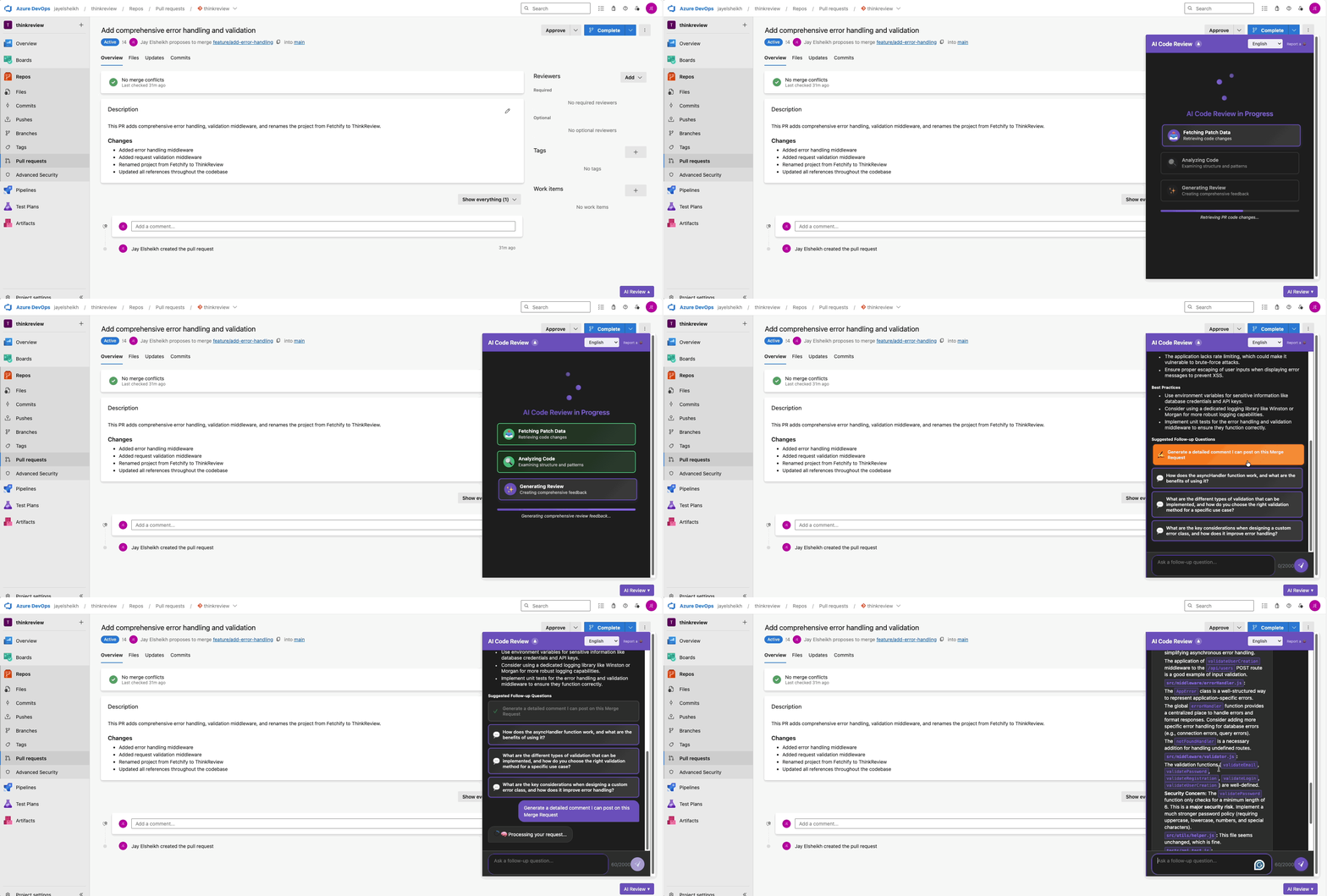
ThinkReview is a browser extension that helps you review code directly inside your GitLab/GitHub/Bitbucket merge requests.
You can literally chat with your MR, ask questions about the diff, explore potential bugs, and generate review comments.
The key difference from typical AI review bots (CodeRabbit, CodeAnt, etc.) is:
 It does not spam your PR with automatic comments It gives you a private AI assistant inside the MR UI
You stay fully in control of the final review. Think of it as “AI-assisted thinking,” not automated reviewing.
This is especially useful for devs who still prefer reviewing code in the browser, not inside an IDE or via CI bots.
Update #1: ThinkReview is now Open Source
You can explore the code, file issues, request features, or contribute.
GitHub Repo: https://github.com/Thinkode/thinkreview-browser-extension
Making the project open source was the #1 request from early users, especially those in companies with strict audit/security requirements.
Update #2: Ollama Support (Run Local LLMs)
As of version 1.4.0, ThinkReview can now connect to Ollama, letting you run:
- Qwen Coder
- Llama 3
- DeepSeek
- Codestral
- Any model supported by Ollama
Why this is awesome:
 100% local → your code never leaves your machine
 Free
Free Works great with self-hosted GitLab
 No API keys required
For privacy-focused teams (or anyone who prefers local inference), this is a huge upgrade.
Installation
ThinkReview works on all Chromium browsers.
Join the Discussion
If you have ideas, want to contribute, or need help setting up local models, feel free to reach out:
- GitHub Discussions
- Contact Us - ThinkReview
I’d love to hear feedback from this community — especially from developers experimenting with LLM-assisted workflows.
Thanks for reading! — Jay